A no-code website to app converter for iOS and Android. Enter your URL and we fill in your app name, logo and menus where we can. Scan a code to try it on your phone, free, with no account or card. If it works for your customers, pay once for the build: $29 Android, $79 iOS, $99 both.
No coding No account or card to preview Pay only if you build
Your logo on their home screen.A direct route back to your business.
Your website. Your branding. Your app.
App studio Example app
Put your key pages a tap away.
Home
Discover
Shop
Account
Your website. Your branding. Your app.
App studio Example app
Tell customers what’s new.
sunday. nowYour next great morning is here.
Meet the newest addition to your coffee ritual.
Your website. Your branding. Your app.
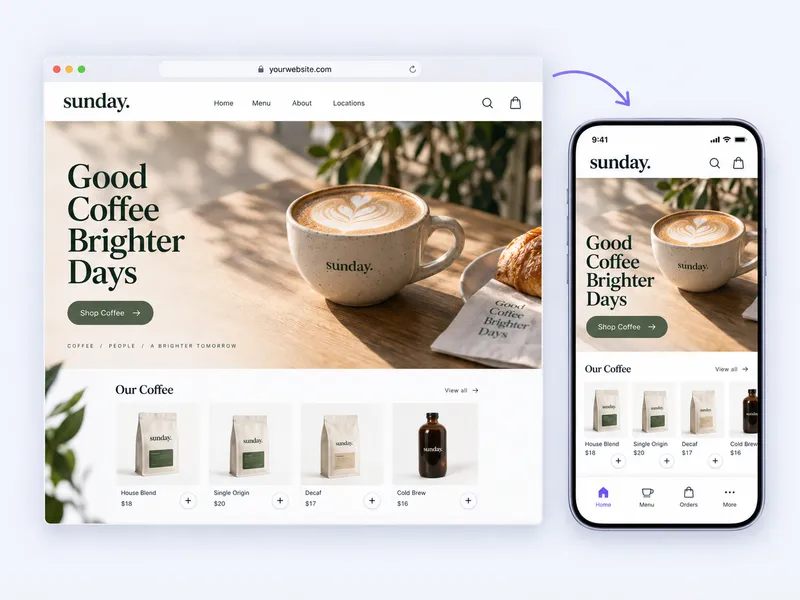
Your website powers your app
Keep your website and add an app experience.
SiteTo.App displays your mobile website inside an app with your own branding and navigation. Keep the content and tools you rely on, with one place to manage website updates.
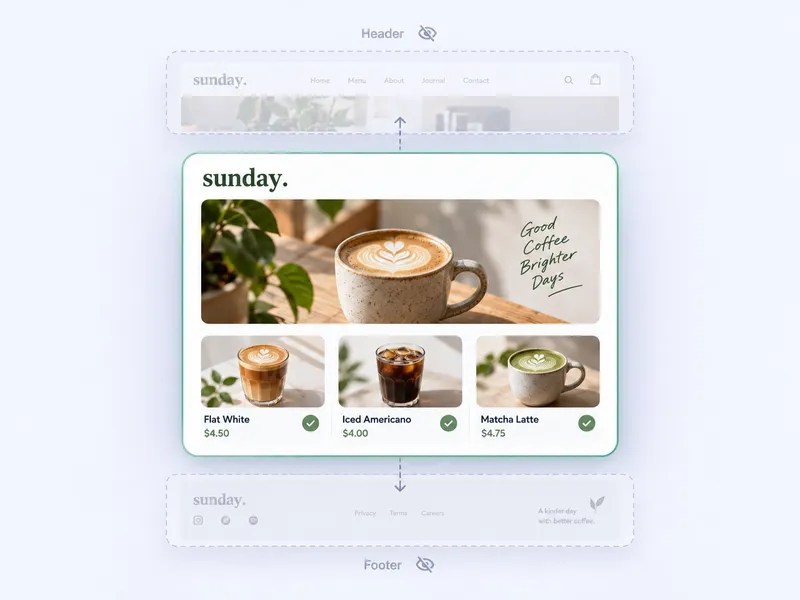
One place to update your content.
Your app displays your existing website. Update a product, publish a post, or change a page as usual. Customers see those changes when the page loads in the app.
Keep your existing website tools
No need to recreate your pages
Website content updates carry through
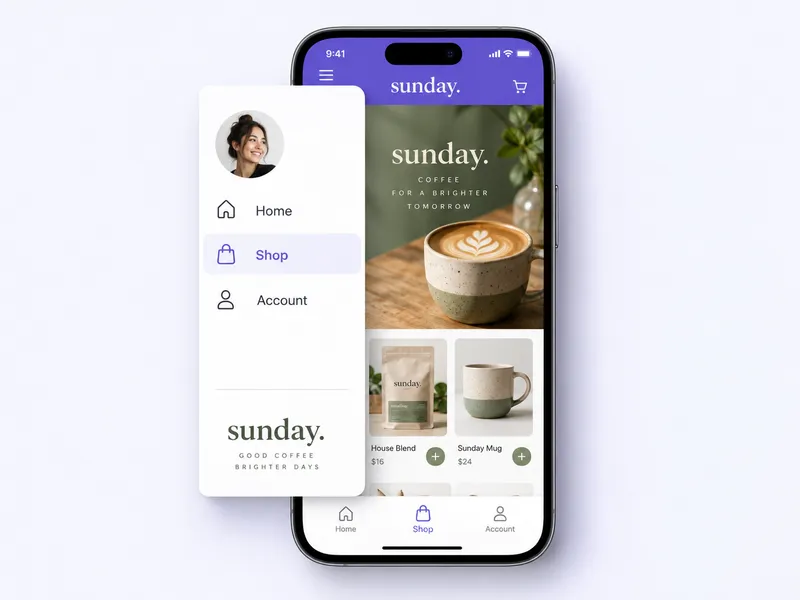
Your key pages, a tap away.
Add a native menu and bottom tabs that link straight to the pages customers use most. Make it simple to find your shop, bookings, or member area.
Side menus for more destinations
Bottom tabs for frequent actions
Choose your labels, icons, and links
Try it before you pay.
See how your website and app navigation work together on a phone. Check the pages and journeys your customers rely on before you pay for a build.
Illustrative examples. Your app uses your website’s content and functionality. Preview your key customer journeys before choosing a build.
How it works
Start with your URL and preview before you pay.
01
Enter your website URL
We fill in your app name, logo and menus where we can. Your pages stay where you already manage them.
02
Customize and preview
Change the icon, launch screen and menus, then scan a code to try the app on your phone. You may be asked to install our preview app first.
03
Choose your app build
Pick Android, iOS or both and pay once. iOS goes to TestFlight in your Apple account, with no Mac or Xcode needed. Android comes as an APK or AAB. You submit to each store from your own account.
For stores, booking sites and member sites
Your mobile site already works. Put it on their home screen.
Bring your existing store, booking pages, or member content into an app. Keep managing your website as usual while customers get a convenient way back.
Let returning shoppers open your store from their home screen and browse your latest products.
Content and communities
Give members a direct route to the articles, resources, and conversations already on your website.
Services and local businesses
Make your existing booking, menu, and service pages easy for regular customers to reach.
App examples
Picture your business as an app.
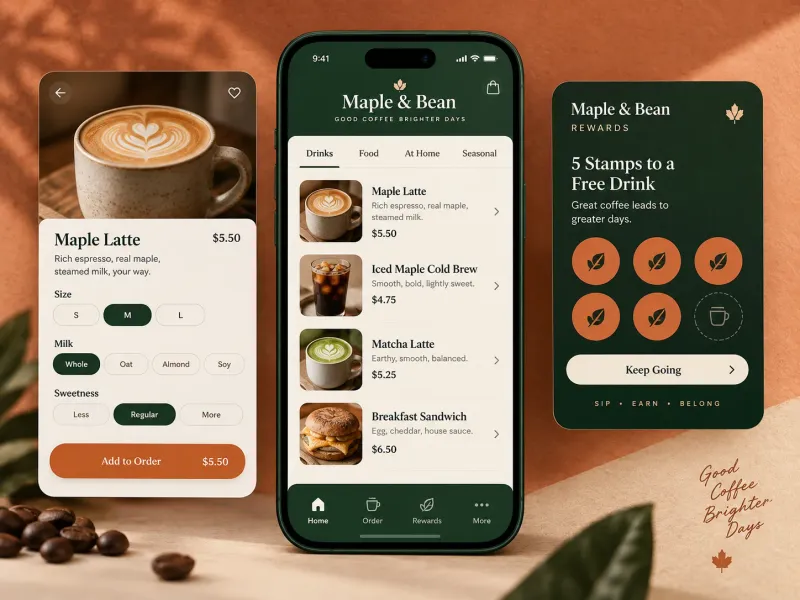
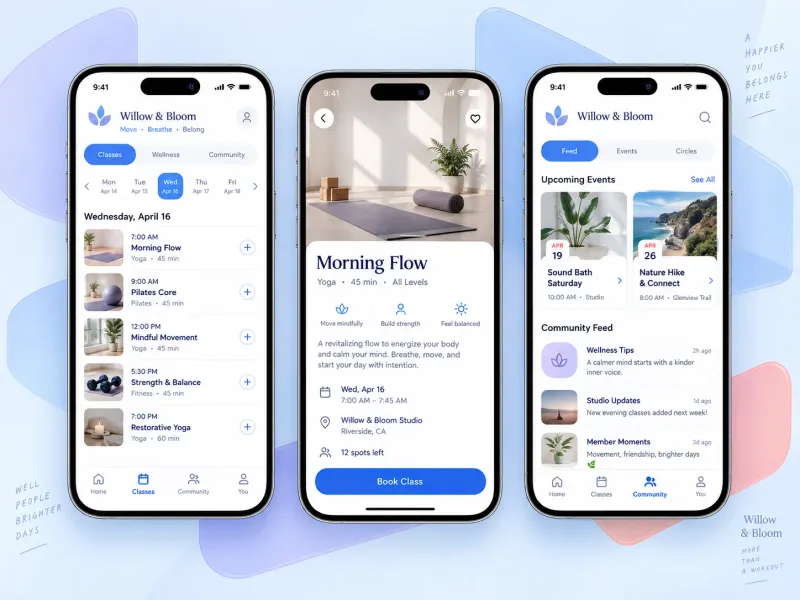
Explore illustrative app concepts for a store, café, and studio. Features such as ordering, rewards, and bookings come from your existing website.
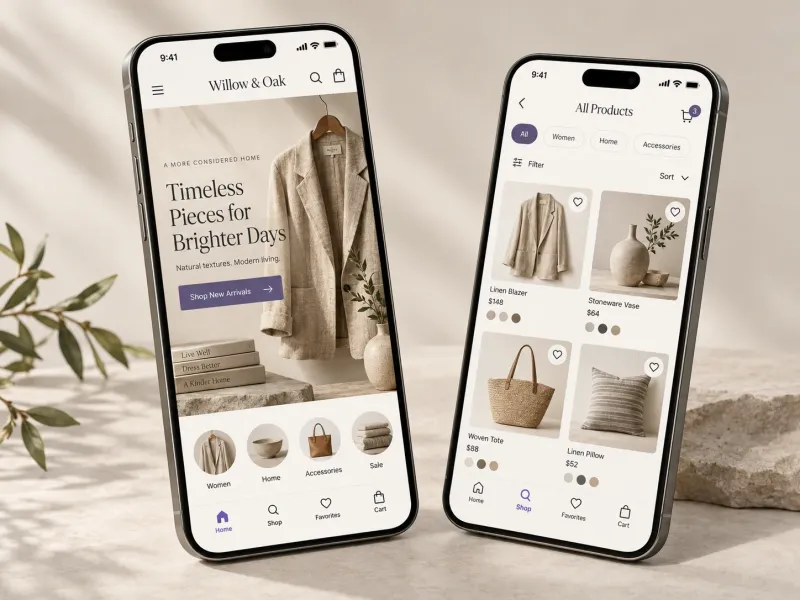
Example: a storeIllustrative concept
Make your store easy to return to
Give regular shoppers a direct route to your latest collections. Bring your existing storefront into an app they can open from their home screen.
Example: a caféIllustrative concept
Keep your café close to your regulars
Put your café’s menu and existing online ordering pages within easy reach. Send a push notification when there’s something new worth coming back for.
Example: a studioIllustrative concept
Give members a shortcut to their next class
Help members get straight to the class schedules, booking pages, and community content already on your website, all through your own branded app.
Will Apple approve my app?
Apple decides, so SiteTo.App can’t guarantee it. Apple can reject apps that add nothing beyond a website (Guideline 4.2), so plan for real app features such as native navigation and push notifications, and test your key journeys in the preview first.
Each build is a one-time fee. You also need your own developer accounts: Apple $99 a year, Google Play $25 one time, paid directly to them. You submit the app to each store yourself. Later rebuilds are quoted separately. All submissions are subject to Apple and Google review. See what’s included and how publishing works.
SiteTo.App is not a ground-up native rebuild. If your product depends on Bluetooth, augmented reality, heavy offline work, or background processing, you need native development. Apple can also reject an app that adds nothing beyond a website (Guideline 4.2), so plan for real app features such as navigation and push notifications.
What is SiteTo.App?
SiteTo.App is a no-code website-to-app converter. You enter a public, mobile-friendly website, add your app name, icon, launch screen, and menus, preview it on your phone for free, and pay a one-time build fee ($29 Android, $79 iOS, $99 both) for iOS and Android builds ready for you to submit. Your website stays the source of content.
What kind of app will I get?
You’ll get an iOS or Android app that displays your existing website, with your own app name, icon, launch screen, and mobile navigation. Your website supplies the content and functionality; SiteTo.App adds the app experience around it.
Will it work with my website?
SiteTo.App works with mobile-friendly websites, including sites built with WordPress, Shopify, Webflow, Wix, and Squarespace. Start with your URL and use the preview to check your pages, sign-in, checkout, and other important flows before you pay.
Do I need to code or rebuild my website?
No coding is needed to set up your app. Add your website URL, upload your branding, and choose your menu links in the guided builder. Keep using your existing website tools to manage your content.
What happens when I update my website?
Your app loads content from your website, so customers see your latest pages when they load or refresh them. You don’t need a new app build for ordinary website content updates. Changes to the app itself, such as its icon or configuration, may require a new build.
What do I pay, and when?
You can set up and preview your app before paying, with no credit card required to start. When you’re ready for a build, pay once: $29 USD for Android, $79 USD for iOS, or $99 USD for both. Developer accounts and app store fees are separate.
How do I send push notifications?
Connect your Firebase account in the app settings, complete the platform setup, and build your app. You can then send offers, news, and updates from your dashboard to app users who have enabled notifications.
How does app store publishing work?
iOS builds are uploaded to TestFlight in your own Apple developer account, and Android builds download as an APK or AAB. You’ll need an Apple or Google developer account to submit your app to the relevant store yourself. SiteTo.App doesn’t submit it for you. Each store reviews submissions and decides whether to approve them.
Your website is the starting point
See your website as an app before you spend anything.
Enter your URL and try the app on your phone. It’s free, with no account or card. When you’re ready, pay once for the build and submit it from your own Apple and Google accounts.
Preview my app free Apple and Google review every app and charge for their own developer accounts.

 WordPress
 Shopify
 Webflow
 Wix
Wix Squarespace